The camera lucida app
for iPhone, reinvented.
ARTrace projects any photo onto real paper through your phone camera, so you can trace the outline by hand. The same trick David Hockney used with a 200-year-old prism — except free, AI-powered, and pocket-sized.

What is a camera lucida?
The camera lucida (Latin for “light chamber”) is an optical drawing aid patented by William Hyde Wollaston in 1807. A small prism on a brass arm, mounted over a sheet of paper, lets the artist look down and see a ghostly image of the scene superimposed on the page. The hand follows the floating outline; a pencil traces it.
It was the iPhone of the Romantic era. Ingres used it for portraits. Naturalists used it for botanical plates. Two centuries later, David Hockney famously argued in Secret Knowledge that half the great Renaissance and Baroque painters used one too.
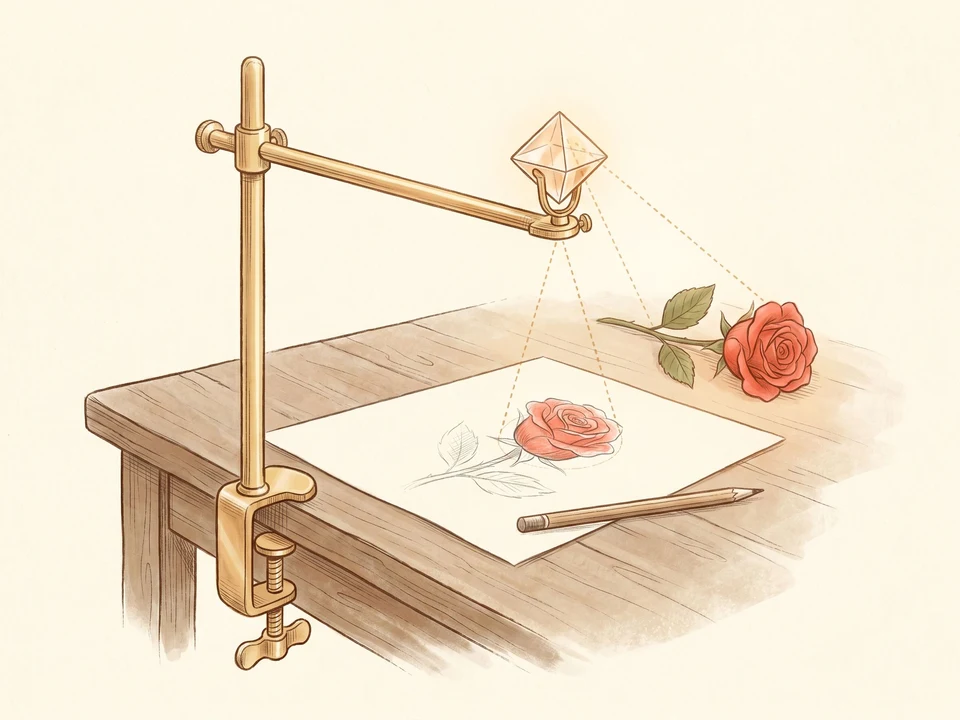
The original camera lucida (1807) — a small prism redirects light from the scene down to the paper.
How a phone replicates the optical trick.
Modern camera lucida apps replace the prism with two layers of pixels:
- The live camera feed shows your real paper as you point the phone at the desk.
- A semi-transparent reference image — a photo, AI generation, or template — is rendered on top of that feed.
- The two layers stay locked together while you draw underneath. Your pencil shows through the overlay, so you always see exactly where your line is going.
The optical effect is identical to Wollaston’s prism. The difference is a phone fits in your pocket, costs nothing extra, and can overlay any image — not just whatever’s in front of you.
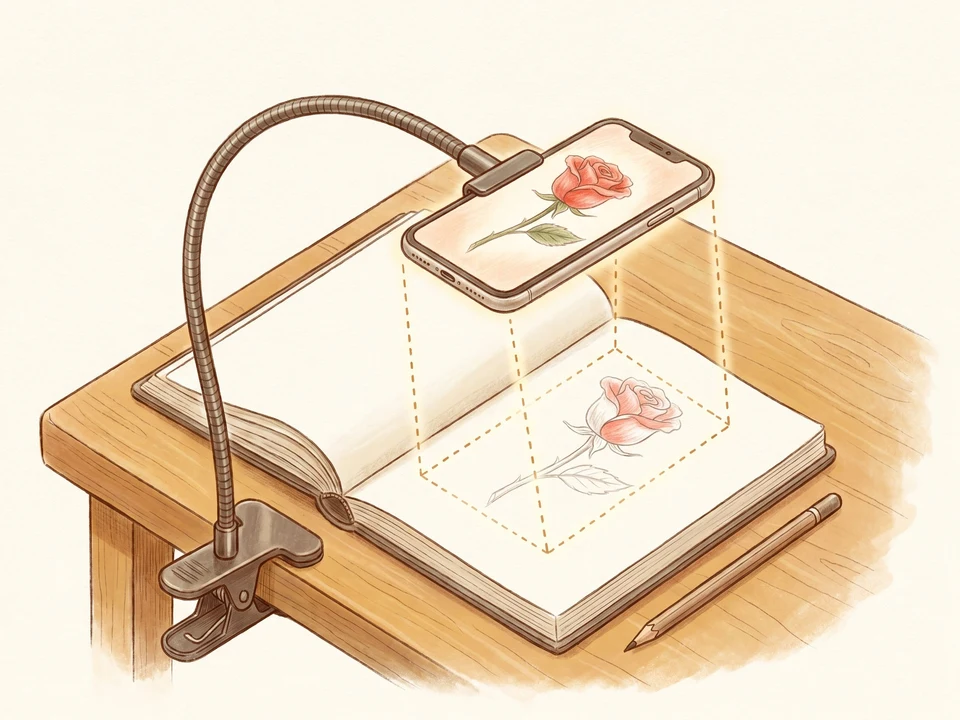
ARTrace (2026) — the phone is the prism. Same optical principle, two centuries later.
The most useful camera lucida ever made.
The classic Camera Lucida app from 2010 turned the iPhone into a Wollaston prism. ARTrace adds three things Wollaston never imagined: a built-in library, AI generation, and photo-to-sketch conversion. Anything you can describe or photograph, you can trace.
AR overlay on any photo
Open the camera, point it at your paper, drop any photo onto the page. Pinch, rotate, lock — the image stays glued to the paper while you trace.
1,000+ ready templates
A curated library of animals, portraits, flowers, lettering and cartoons — pre-converted to clean traceable outlines so you don't have to fiddle.
AI image generation
Describe what you want — “a fox cub sleeping by a river” — and the app generates a sketch-ready outline in seconds.
Photo-to-sketch conversion
Drop any photo from your camera roll. ARTrace turns the noise into a clean line drawing you can trace, with no Photoshop step.
Free to start
Free download, free for tracing your own photos. A subscription unlocks the full template library and unlimited AI generation.
28 languages
The whole app, the templates, and the help text — available in 28 languages. The original camera lucida only spoke Latin.
Prism, plastic, or pocket.
The camera lucida has been reinvented twice since 1807. Each version solved the same problem with the tech of its era.
| Tool | Year | Price | Image source | Portable? |
|---|---|---|---|---|
| Wollaston camera lucida | 1807 | ≈ $200 (modern repro) | Whatever you can sit next to | Brass arm + base |
| Camera Lucida™ AR Drawing (the original app) | 2010 | $9.99 | Photos from camera roll | iPhone |
| ARTrace | 2026 | Free | Photos, 1,000+ templates, AI generation, photo-to-sketch | iPhone · iPad · Mac · Vision Pro |
The original Camera Lucida™ app from Bigidesign is a great piece of mobile history. ARTrace is what came next.
How to use ARTrace as a camera lucida.
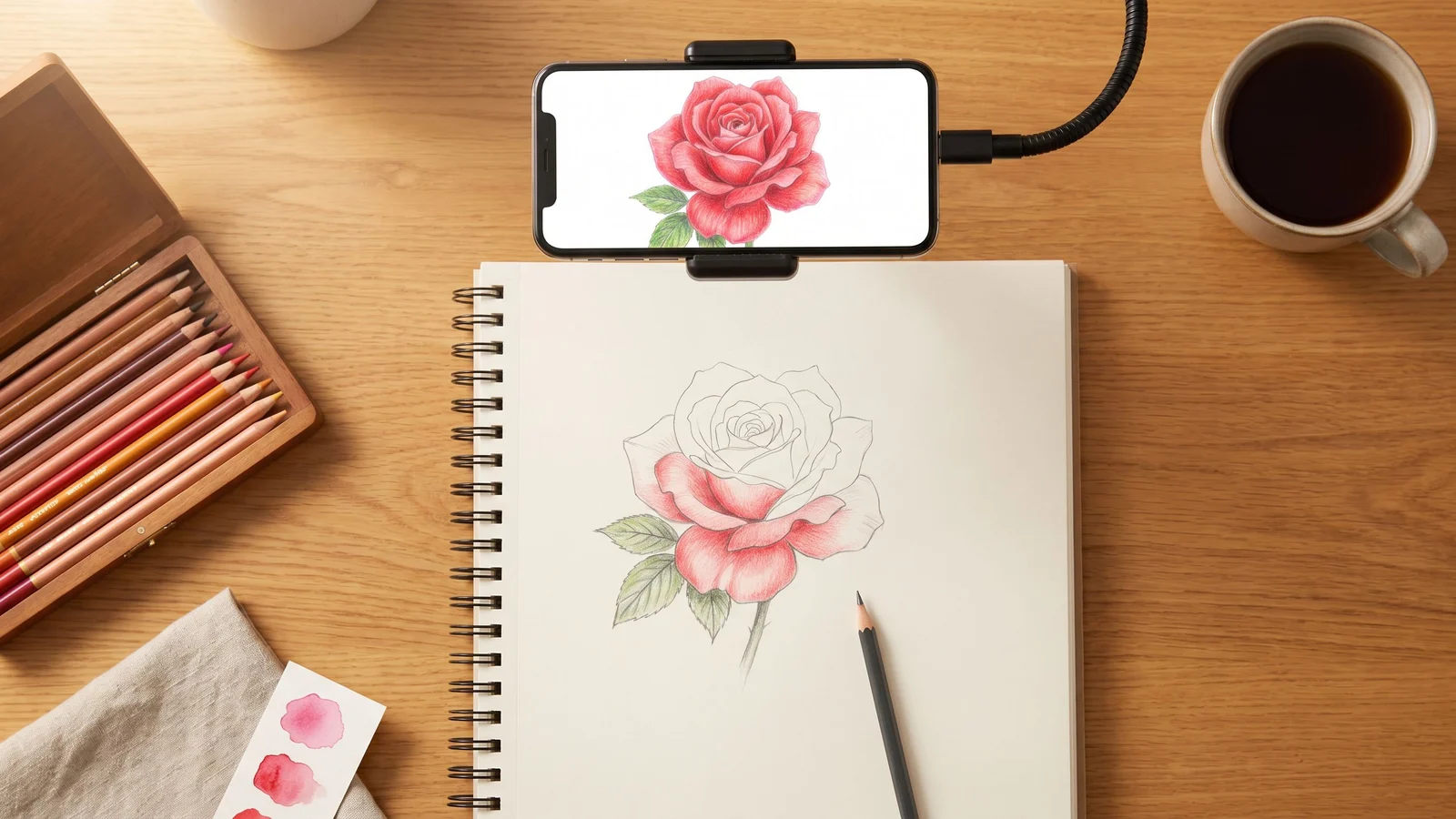
Open the app, pick a template or photo, hold your phone above your paper. Pinch to size, tap to lock, then trace with any pencil. There is no rendering, no export, no “save the file” — you just lift the phone away and the drawing is already on the page.
Camera lucida app FAQ.
What is a camera lucida app?
Is the original Camera Lucida app the only option for iPhone?
Is there a free camera lucida app?
How does the camera lucida effect work on a phone?
Is the camera lucida technique cheating?
Do I need a special phone stand to use a camera lucida app?
Want to go deeper? The camera lucida — 1807 to 2026 tells the full history from Wollaston’s prism to the Hockney thesis to today’s phone-based AR. How to trace a photo onto paper walks through the tracing workflow step by step. Drawings to trace is a starter library of beginner-friendly templates.